Collimating the webcam collimator
To collimate the telescope, the webcam is inserted into the focuser
draw tube. It can then 'see' the edge of the secondary mirror, which although elliptical, will appear circular. The outer edge of the primary mirror will be seen, and the secondary can be adjusted
to centre it with respect to the focuser drawtube and the primary mirror. Note: the secondary in Newtonians is usually offset - this
will not be covered here.
It is very important that the webcam is collimated - its optical axis must be aligned with the optical axis of the drawtube.
Any angle between the webcam and the drawtube renders the exercise pointless.
I 3D printed a holder for the webcam to fit in the drawtube, and attached a very flat brass plate to the 3D printed part
with hot glue, only when the webcam was collimated. I used elastic bands to pull the plate snugly against the 3 grub
screws until the job was done.
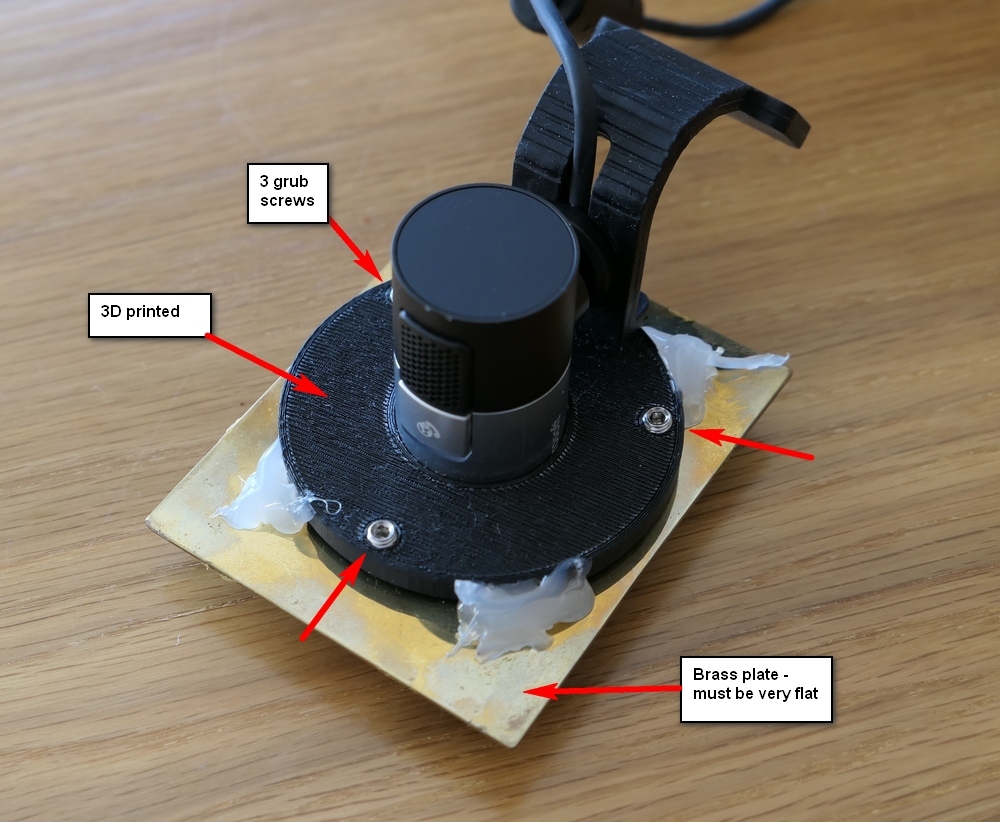
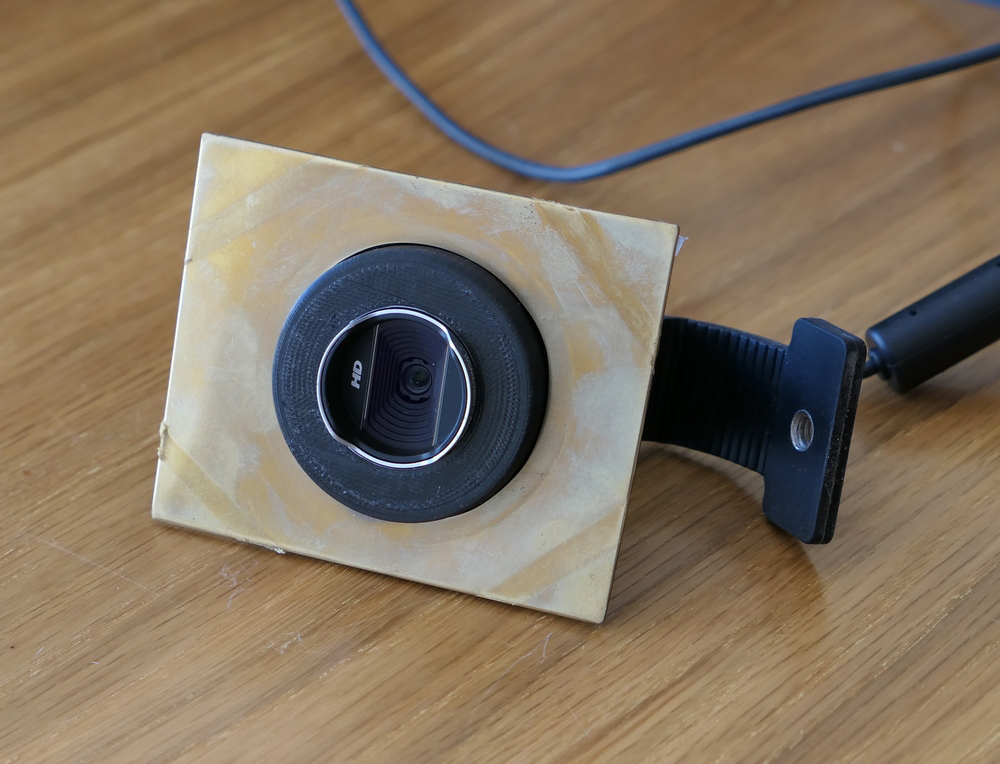
This video explains how to adjust the grub screws.
The webcam view:
Circular lines added by software.
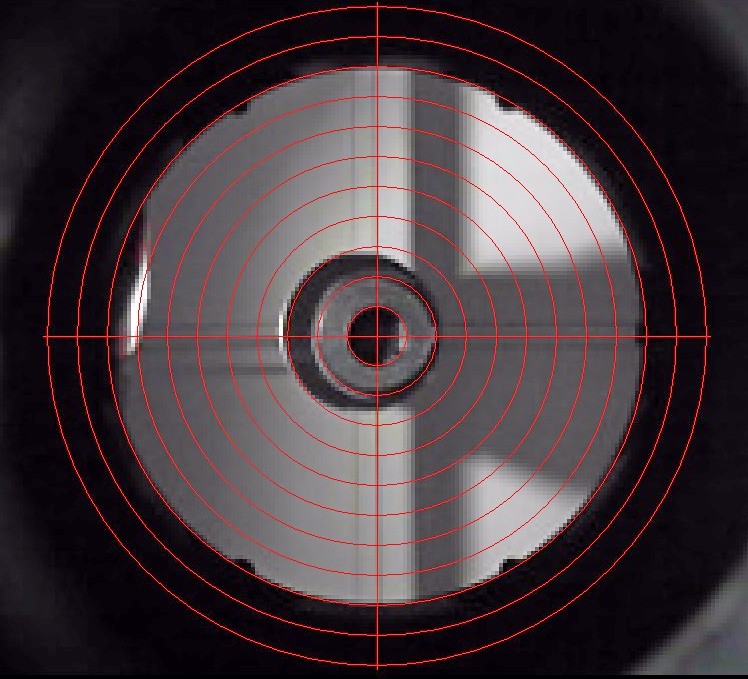
The primary edge is marked, and the inner green circle is where the webcam lens is.
Nicely concentric.
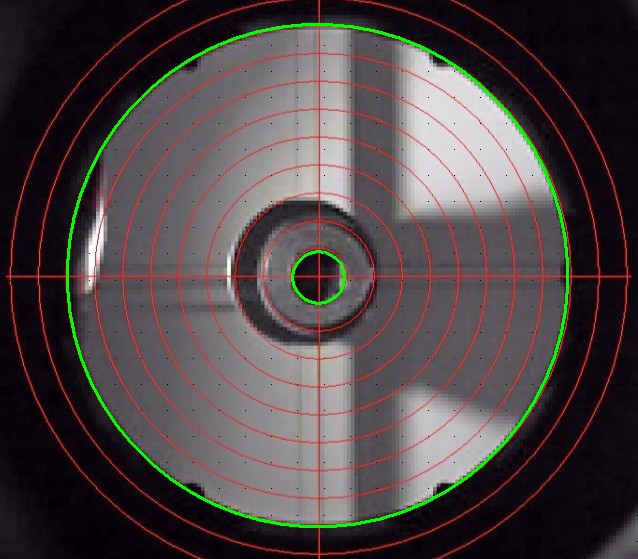
I 3d printed a 'plug' and put black and white markings on. It sits snugly in the focuser draw tube on the inside
to make the webcam easier to see.
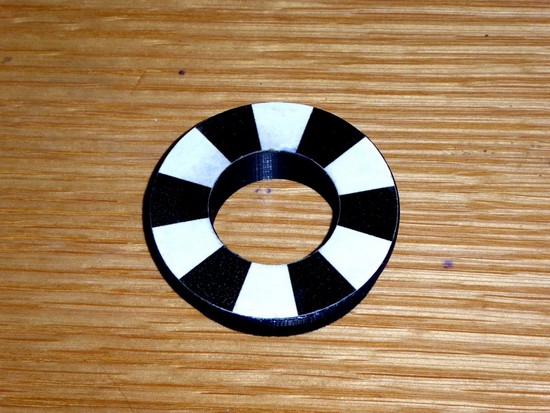
With the black and white markings visible.
This image was taken with the telescope in the observatory - no need to take it inside and work on a table.
I checked with a laser collimator - collimation was good.
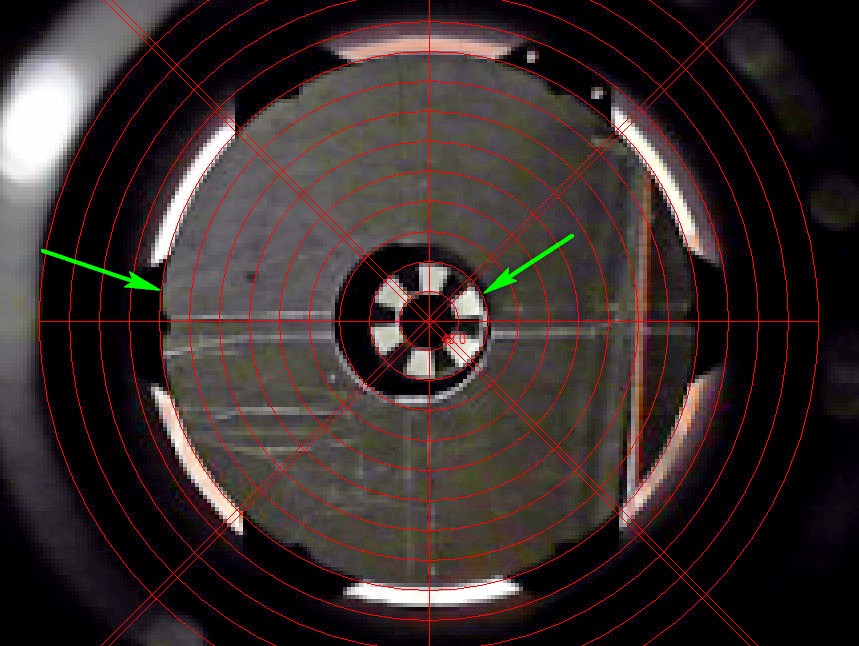
Note that the secondary has a considerable offset. It does not have to be concentric with the primary and drawtube.